

Graphic Resources | Textures and Backgrounds
30 Shadow Overlays 03 Botanical Shadows Plants Branches Leaves
30 Shadow Overlays 03 Botanical Shadows Plants Branches Leaves
Shadow Overlays and Textures | Botanical Shadows Plants
Instant digital download. No physical item will be shipped.
Prices are VAT exempt. Cross-border business customers (B2B) providing a tax number or VAT ID will receive a tax invoice with reverse charge applied where applicable according to local tax rules.
Couldn't load pickup availability
≣ View all GRAPHIC RESOURCES > TEXTURES AND BACKGROUNDS
30 SHADOW OVERLAYS 03 Botanical Shadows Plants Branches Leaves
SHADOW OVERLAYS
This set includes 30 shadow overlays, all made from real photos of organic botanical shadows (plants, branches, leaves).
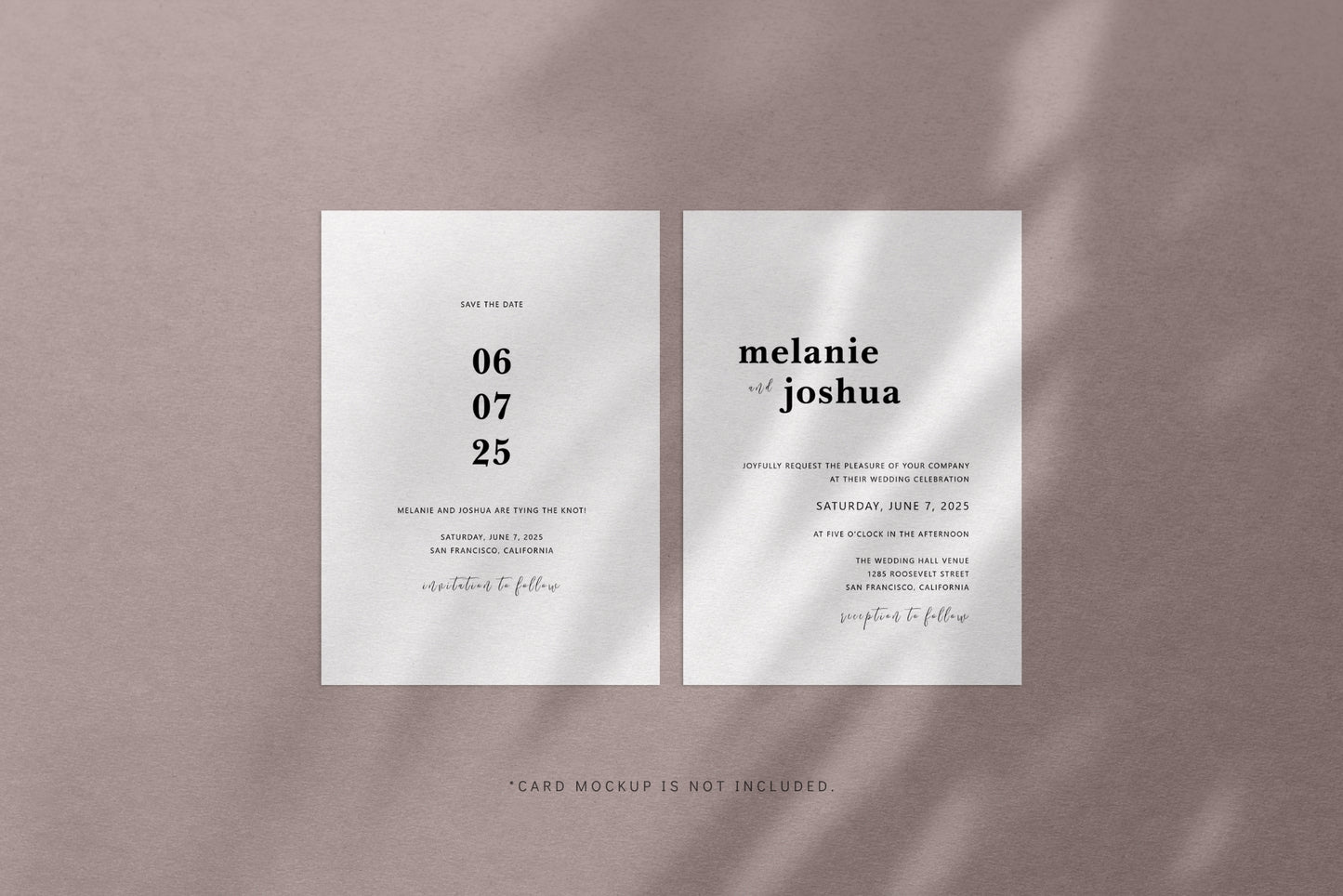
You can use these shadow overlays to add natural light effects to any graphic, mood board, or mockup. Place a shadow overlay on top of your image, set the blending mode and adjust the opacity to get the results you're looking for.
I prefer to set the blending mode of shadow overlays to Linear Burn or Color Burn, with the opacity set to 50%, which I can then increase or decrease to get the desired look. But you can also try other blending modes, such as Multiply or Overlay, and see what works best for you.
FILM GRAIN OVERLAYS, TEXTURE BACKGROUNDS, BACKGROUND COLORS
Other than applying shadow overlays to graphics, mood boards, and mockups, you can also combine them with other elements provided in this collection to create aesthetic and natural looking abstract backgrounds.
You can apply a shadow overlay only to a background color, solid or gradient.
There are 20 predefined solid colors in this collection for your to start with. But you can easily change them or use your own.
To add texture to your design, you can use either one of the 4 texture backgrounds (3 paper textures and 1 wall texture) or one of the 4 film grain overlays.
Since all the elements are provided as JPG files, you can use them in basically any photo editing software.
FILES INCLUDED
- 30 shadow overlays: 30 JPG files 6000x4000 px @300 dpi
- 4 film grain overlays: 4 JPG files 6000x4000 px @300 dpi
- 4 background textures: 4 JPG files 6000x4000 px @300 dpi
- 20 background colors: 20 JPG files 6000x4000 px @300 dpi
- 4 preview images: 4 PNG files 3000x2000 px @300 dpi
- 1 Adobe Photoshop PSD file 3000x2000 px @300 dpi
- 1 User Manual PDF file
NOT INCLUDED: any other graphics, texts, fonts, or paper card mockups used in the preview images.
The Photoshop PSD file is downscaled to 3000x2000 px only to keep the file size smaller and to make opening and editing of the file faster and easier.
If you wish, you can easily increase the size of the PSD file to up to 6000x4000 px which is the actual size of all the elements used in the PSD file.
The PSD file contains all shadow overlays, film grain overlays and background textures as JPG files.
Background colors are provided as Color Fill layers in the PSD file, but also as JPG files if you want to use them in another photo editing software.
There are 20 predefined colors, but you can easily customize them in the PSD file or add your own.
Preview images are just premade backgrounds, where I combined some of the shadow overlays with background textures and background colors.
The User Manual contains a list of all the elements, as well as the blending mode options and opacity settings I used in each of the examples.
INSTANT DIGITAL DOWNLOAD
INSTANT DIGITAL DOWNLOAD
This is a digital product, so no physical item will be shipped to you.
Once your purchase is made, you will be provided with an instant download link containing your files. Find out more in Delivery Policy and Refund Policy.
LICENSES
LICENSES
Graphics include all digital files of textures, backgrounds, patterns, illustrations, clipart, pattern brushes, and design elements.
If you are interested in ordering a custom design, feel free to contact me.
STANDARD LICENSE
In short: most creators & small businesses.
Number of users: 1 user per license
✅ You can use the Graphics for personal and commercial projects.
✅ You can create and sell physical or digital products, templates, mockups, apps, and client work.
✅ You can sell up to 5,000 total units of end products created with the Graphics.
🚫 You can’t upload the Graphics to print-on-demand (POD) platforms like Society6, Redbubble, Printify, etc.
🚫 You can’t resell, share, or give away the Graphics as files.
🚫 You can’t use the Graphics as-is or in a way that lets others reuse them.
⚡ Note: The Graphics must always be part of a larger, original design.
EXTENDED LICENSE
In short: POD, large-scale sales, and unlimited distribution.
Number of users: up to 10 users per license (suitable for small studios or agencies)
✅ Everything included in the Standard License.
✅ You can sell unlimited units of end products.
✅ You can use the Graphics on print-on-demand (POD) platforms.
✅ You can use the Graphics for large-scale, high-reach projects.
🚫 You still can’t resell or share the Graphics as standalone files.
🚫 You can’t offer them as stock assets, bundles, or resource packs.
⚡ Note: Even with the Extended License, the Graphics must always be part of a larger design — never used or sold as-is.
FAQ
→ Can I use these graphics on POD sites like Society6, Redbubble, Printify, or Printful?
Standard License: No, the Standard License does not allow POD use.
Extended License: Yes! You can use the graphics on POD platforms, but they must be part of a larger, original design, never uploaded or sold as standalone files.
💡 Tip: If your POD product is mainly the graphic itself, you’ll need an Extended License. For most personal, business, and client projects that don’t involve POD, the Standard License is perfect.
→ Can I use a pattern to create a new fabric or a new physical or digital product that I sell?
Standard License: Yes, you can sell products using the graphics, but your design must be part of a larger, original creation. You may sell up to 5,000 total units. POD use is not allowed.
Extended License: Yes, you can sell unlimited products, including on POD platforms, as long as the graphics are part of a larger, original design.
Find out more in Licenses.
CONTACT
CONTACT
Contact me if you need a custom design, or if you have any issues with your order or questions about a product.
© COPYRIGHT Paper Moon Art & Design
Share